Edit a page template
-
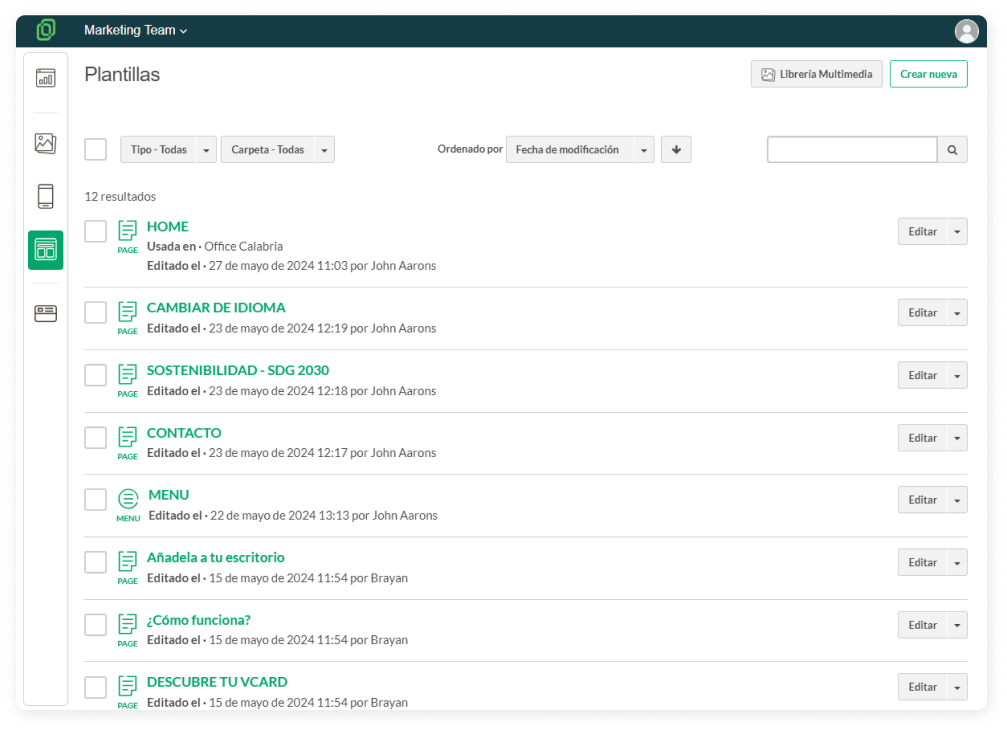
Go to the Templates section in the left menu.
-
Choose the template you prefer and click on the Edit button.

-
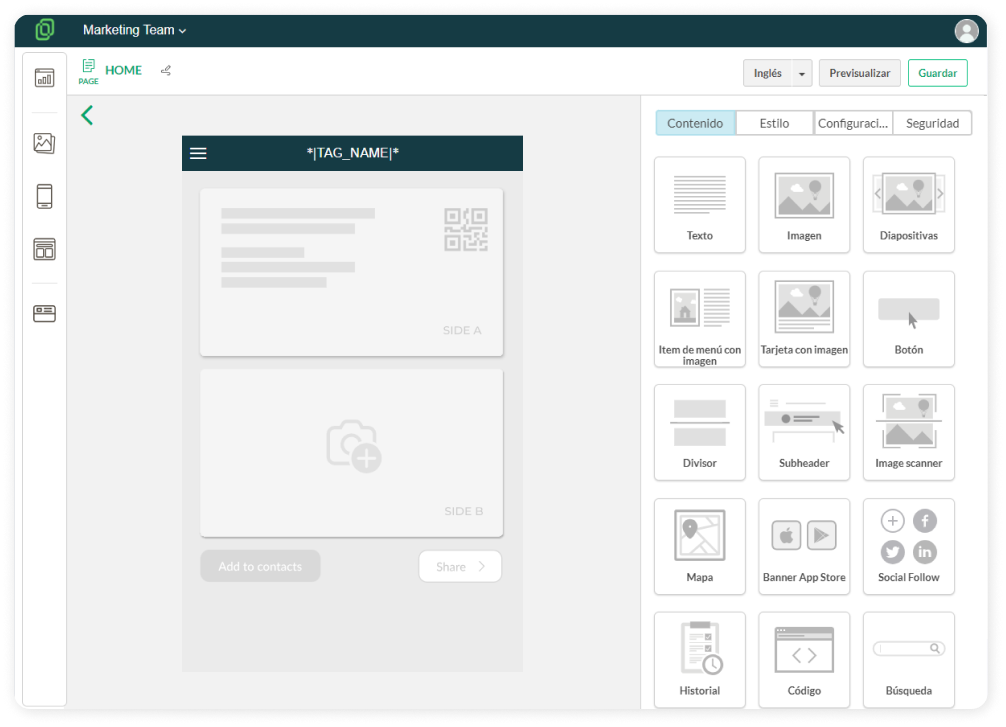
The template will open in the Template Editor. From here, you can choose the content and styles for your template. The template editor is divided into four main blocks:
-
Content: Here you can drag blocks to add to your template. You can choose from different blocks to add images, text, buttons... to customize the appearance of your template.

-
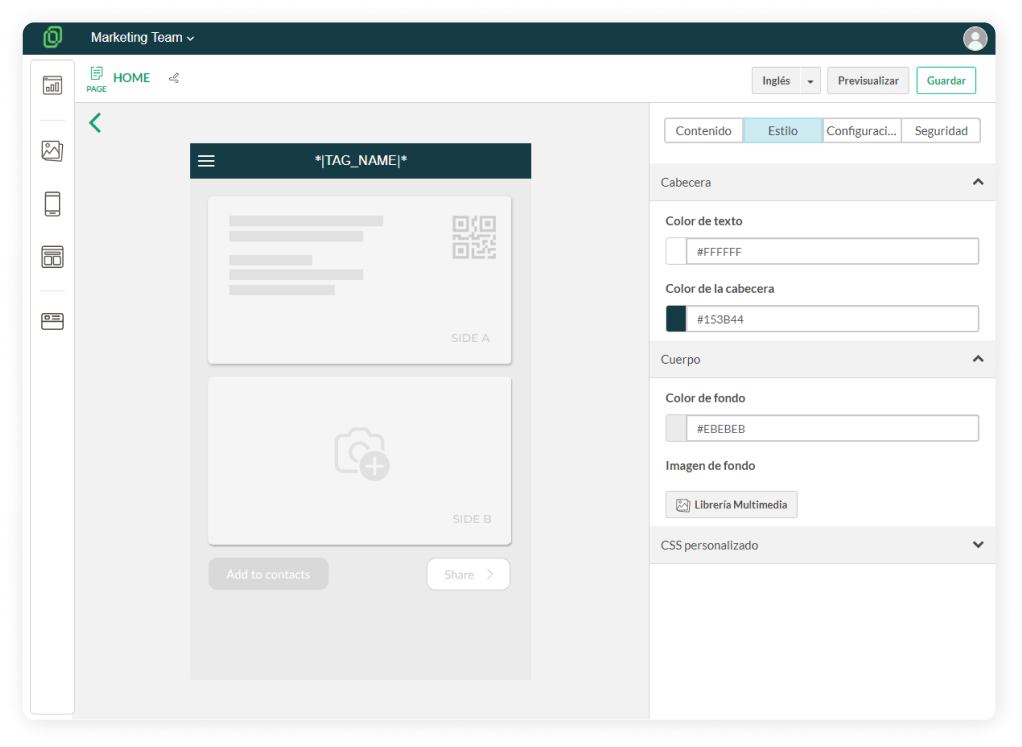
Style: Here you can choose the header color and background color of your template. Instead of a solid color, you also have the option to select an image as the background.
☝️ Remember that to preview the header, you first need to activate the option "Mark this option if you want a header for your page" in the Settings section.

-
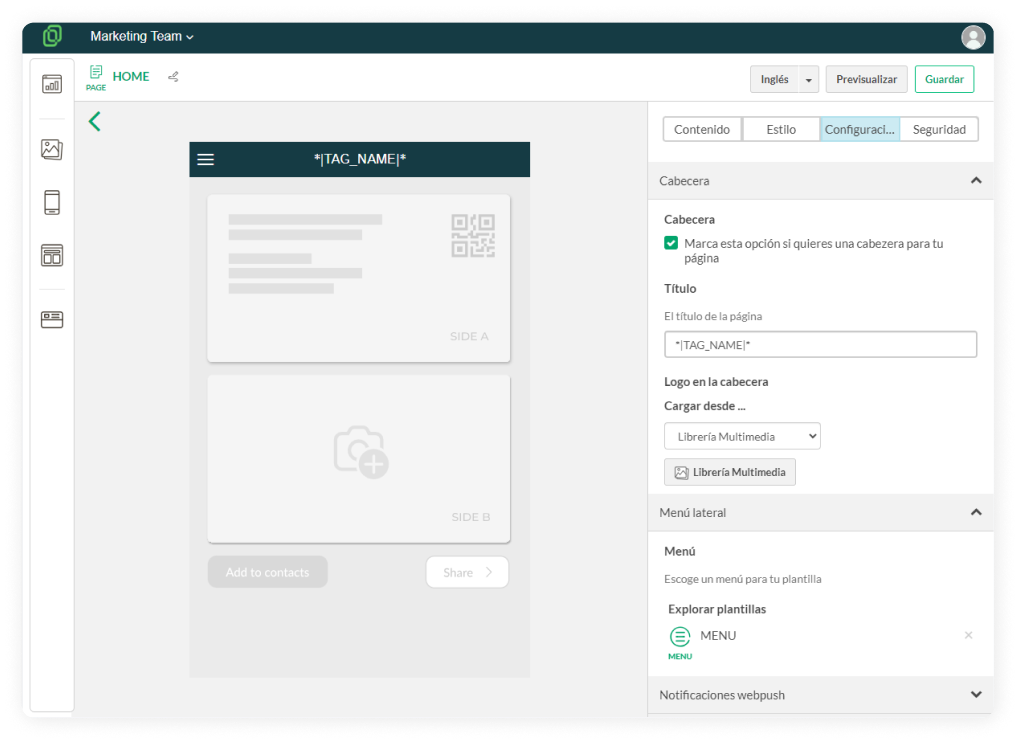
Settings: Here you can determine options to further customize your template:

⮕ Header: Decide whether to include a header on your page and choose its title. Instead of a title, you can also upload a logo in the header.
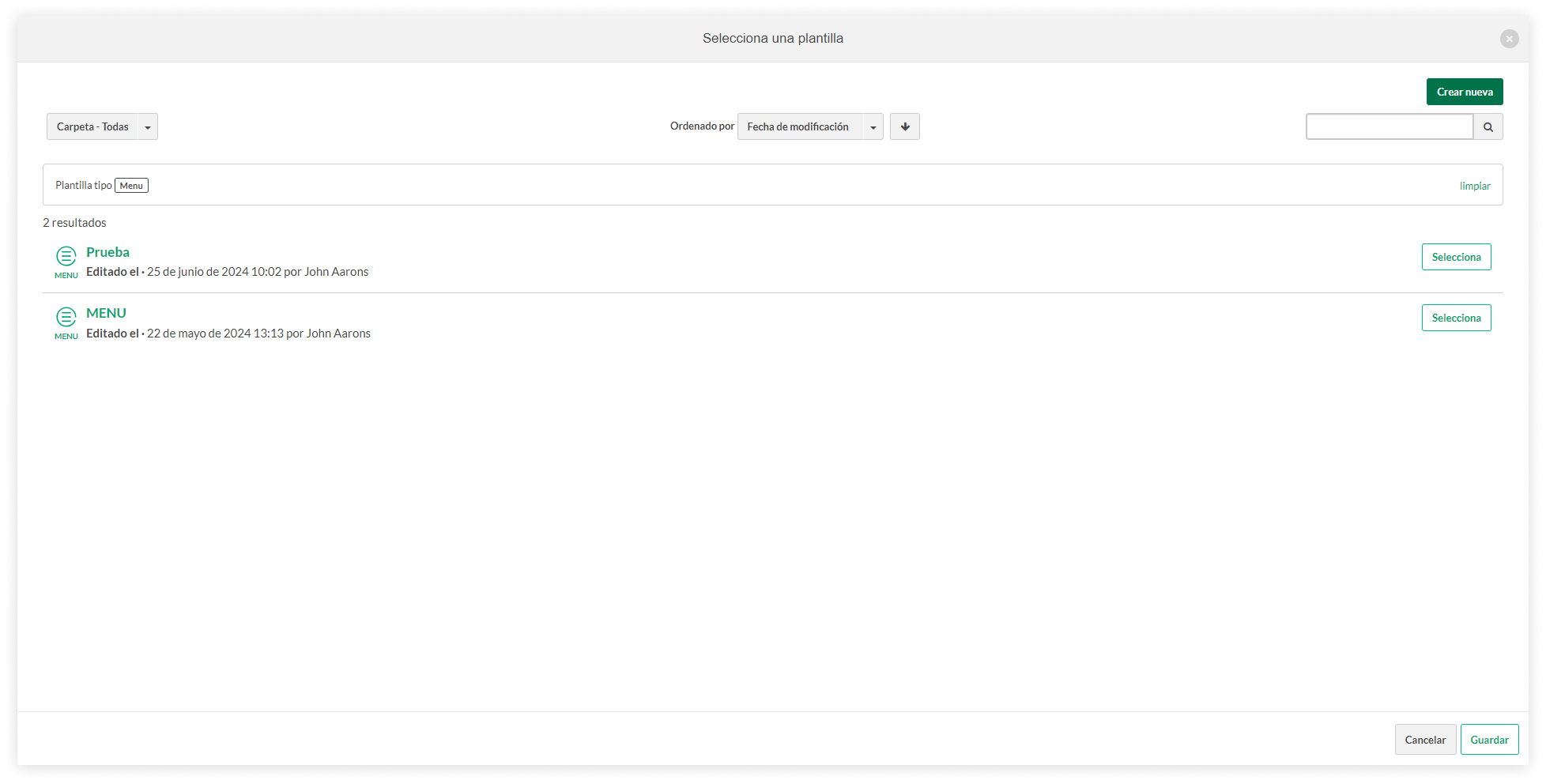
⮕ Sidebar Menu: Select a menu for your template by clicking "Explore templates".
☝️ If you haven't created a menu yet or want to link a different one, click "Create new" and choose "Menu".

⮕ Web Push Notifications: Activate the Web Push Notifications option if you want to subscribe to web push notifications for the card. Web push notifications are messages that applications or websites can send to users through their web browsers, even when the app is not open at that time.
⮕ Data Source: If you click on "Activate Repeater", the template will be configured to display certain data or elements repeatedly as needed, facilitating consistency and efficiency in presenting information.